As Pakistan prepares for the rollout of 5G services, many users are asking a simple but important question: does my phone actually support 5G? With telecom operators gearing up for next-generation connectivity, knowing your device’s compatibility has become essential.
Check Your Phone Settings First
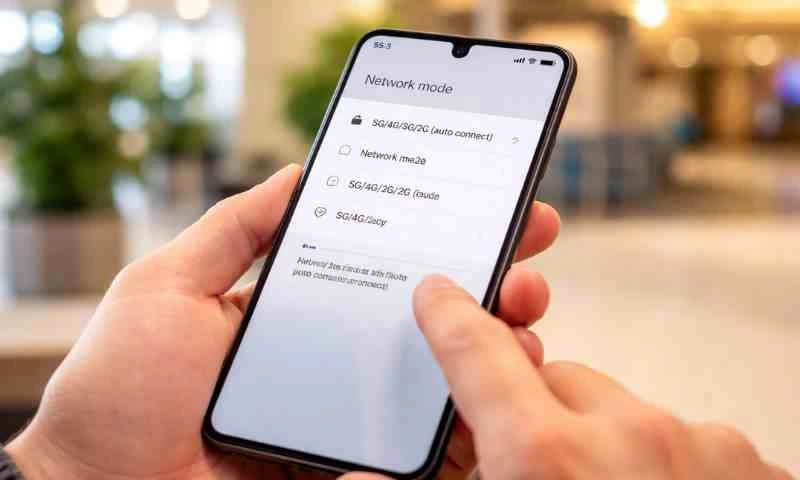
The easiest way to confirm 5G support is through your phone’s settings. On Android devices, users can go to Settings, then open “Network & Internet” or “Connections,” and select “Mobile Network.”
If options such as “5G/4G/3G” or “5G Auto” appear under network mode, your device supports 5G. If only LTE or 4G is listed, the phone is not 5G-enabled.
This method is considered the quickest way to confirm compatibility without needing external tools.
Search Your Phone Model Online
Another reliable method is to check your phone’s specifications online. Users can find their model name under “About Phone” and search it on Google or visit official brand websites.
If 5G is listed under network support, the device is compatible. This approach helps confirm hardware capability, even if 5G is not yet active on the phone.
Most flagship smartphones released in recent years support 5G, while many mid-range devices have also started offering compatibility.
Use IMEI to Confirm Compatibility
Each smartphone has a unique IMEI number that can be used to check network compatibility. Users can dial *#06# or find the IMEI in settings, then enter it on verification platforms.
This method is particularly useful because it can confirm whether the phone supports the specific 5G bands used by local networks.
Experts note that having a 5G phone is not enough if it does not support the right frequency bands.
Look for the 5G Icon
If you are in a 5G coverage area, your phone may display a “5G” symbol in the status bar. This indicates that the device is connected to a 5G network.
However, not seeing the icon does not necessarily mean your phone is incompatible. It could simply be due to limited coverage, disabled settings, or network restrictions.
Check Supported Bands and Software Updates
Compatibility also depends on whether your phone supports the correct 5G bands used in Pakistan. Imported devices may not always work on local networks due to band differences.
Additionally, users should ensure their phones are updated to the latest software version, as some manufacturers enable 5G through updates.
Pakistan’s 5G Future
Pakistan is moving toward a phased 5G rollout, with major cities expected to get early access. The Pakistan Telecommunication Authority has already taken steps toward spectrum allocation and infrastructure development to support next-generation networks.
Experts believe 5G will significantly improve internet speeds, reduce latency, and enable new technologies such as smart cities, cloud services, and advanced mobile applications.